Pinterest Enhanced Product Catalog Builder
Need more than the standard Pinterest fields? Pinterest Enhanced starts from the same fields as the standard Pinterest product catalog, then adds variants, extra media, reviews, product identifiers, tax & shipping data, and shopping ad fields - each optional, hidden behind its own checkbox until you need it.
Every product you add appends one row per variant to a 58-column product catalog, so every optional field has a place even when left blank. Connect it to Pinterest Catalogs with a private data source URL, the same as the standard product catalog.
Works with any website or online store - Shopify, WooCommerce, Etsy, Squarespace, a custom-built site, or anywhere else you sell. You enter your product data directly (or capture a plain submission with our free Chrome extension), so there's nothing to install or connect on your site itself.
Try it free for 7 days. A valid payment method is required to start your trial - you won't be charged until the trial ends, and you can cancel anytime before then to avoid being billed.
Variants (Color/Size)
Generate one row per color and/or size, all sharing the base product's ID as their Item Group ID - list your options once, we build every combination.
Identifiers, Media & Reviews
GTIN, MPN, additional images and video, and aggregate review data - each an optional section you turn on only when you need it.
Tax, Shipping & Shopping Ad Fields
Full tax and shipping data plus shopping ad fields (ad link, AI disclosures, installments) for sellers running Pinterest ad campaigns.
Seamless Upgrade From Standard Pinterest
Already have a standard Pinterest product catalog? The moment you upgrade, your existing products carry over into your new Enhanced feed automatically - no manual step required.
Or Add a Plain Product in One Click With Our Chrome Extension
Browsing a product page? The free Pin Data Connect Chrome extension captures the title, description, price, and image straight from the page you're viewing and submits the same core fields as a Basic product - variant generation and the optional Enhanced-only fields are available on the website afterward. See how it works →
Screenshots From the App
Real Pin Data Connect screens, shown with sample products. The numbers point out what to look at - click any screenshot to see it full size.
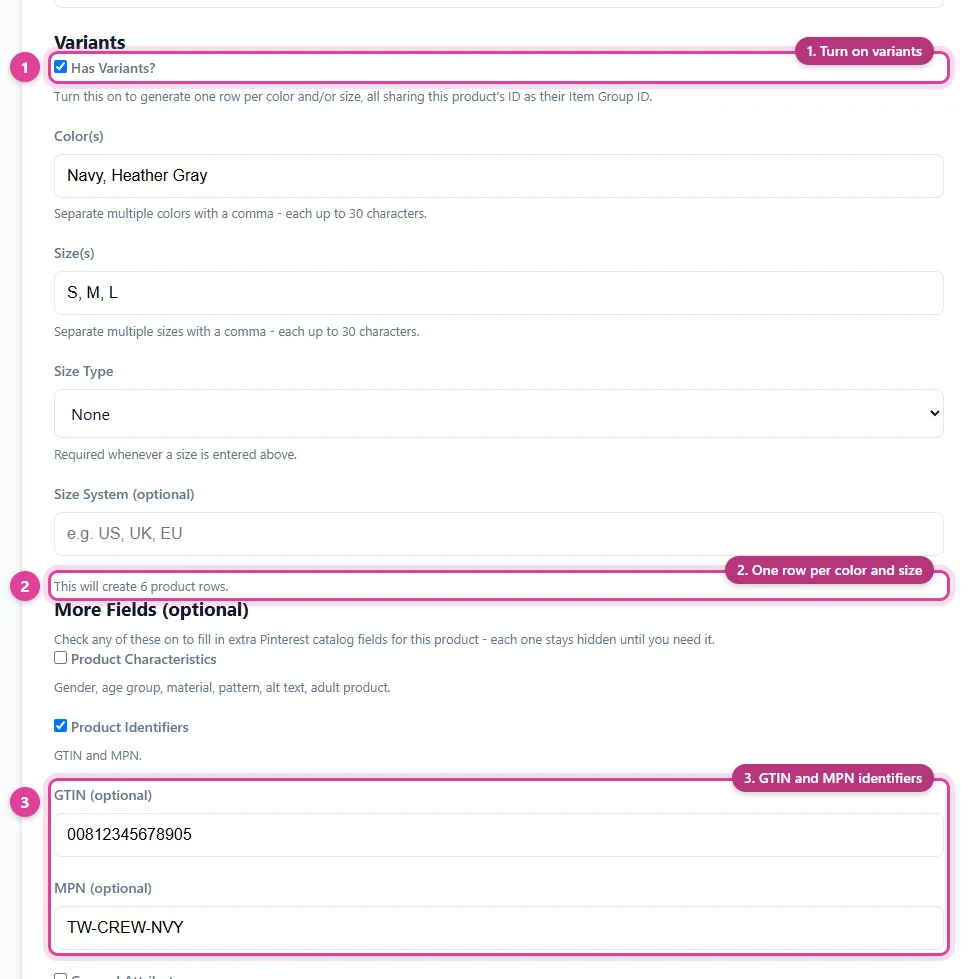
Pinterest Enhanced: list colors and sizes once and a variant row is generated for each combination, plus optional identifiers like GTIN and MPN.
- Turn on variants
- One row per color and size
- GTIN and MPN identifiers
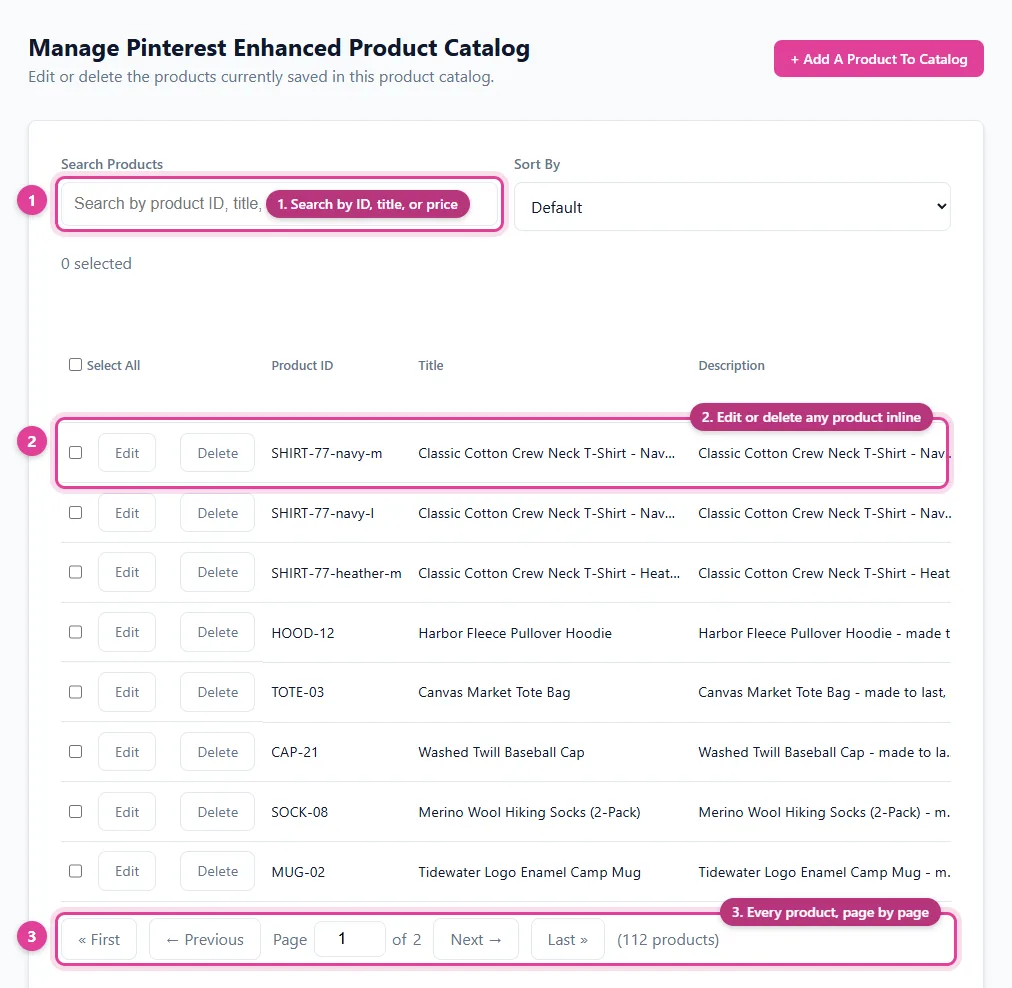
Every variant is its own row in your Pinterest Enhanced catalog, grouped under its parent product.
- Search by ID, title, or price
- Edit or delete any product inline
- Every product, page by page
See It In Action
Pinterest Enhanced starts from the same fields as the standard Pinterest product catalog, then adds variants, extra media, reviews, identifiers, tax & shipping data, and shopping ad fields - each optional, hidden behind its own checkbox until you need it.
Core Details
Fill in these fields to add one product to your Pinterest Enhanced product catalog - turn on any of the sections below for variants, extra media, and more.
Variants
Turn this on to generate one row per color and/or size, all sharing this product's ID as their Item Group ID.
2 colors × 1 size = 2 rows below, each with its own generated ID and a shared Item Group ID of "SKU-2001".
More Fields (optional)
Six more checkbox-gated sections cover the rest of Pinterest's catalog spec - each stays hidden until you turn it on: Product Characteristics, Product Identifiers, General Attributes, Tax and Shipping Data, Additional Custom Labels, and Shopping Ad Fields. This example turns on a few: a GTIN and MPN, a sale price, and tax/shipping details.
Your Product Catalog Data Source for Pinterest
Every product you add appends one row per variant to your Pinterest Enhanced product catalog - 58 columns total, so every optional field has a place even when left blank. Once you start adding products, you'll get a private URL of your own - complete with a generated username and password - that acts as your product catalog's data source. Paste it into Pinterest Catalogs' scheduled settings and it reads your products from it automatically. Here's an example of what that looks like:
Catalog Health: connect Pinterest with the Connect button on the Connections page instead of pasting the URL, and we check every day which of your products Pinterest accepted or rejected - and why - and show you the fix for each.
https://pindataconnect.com/api/feed/d769ca1aa45e1093213aea96a0fb78026a23df03c6ab91b2b38cac3f0959c63d
006947cca28f609ab95425b2f1c73dfc
3a2999ed78f105722e3c1dba1c2193c20c8fecbfddeea493bfa1e026f5e7cb7f
Search, Edit, or Delete Anytime
Once your product catalog has products in it, manage every one from a single screen - search by product ID/title/price, edit any field inline, or delete - your product catalog's data source reflects the change instantly.
| Product ID | Title | Price | |
|---|---|---|---|
| SKU-2001-blue-medium | Sunflower Graphic T-Shirt | 29.99 USD | |
The second row above shows what clicking "Edit" looks like - every field becomes editable in place, with Save and Cancel replacing Edit and Delete until you're done.
Free Pinterest Catalog Guides
- What Is a Pinterest Catalog? - the complete guide
- Pinterest Catalog CSV Template and Field Guide
- How to Fix Pinterest Catalog Errors
- How to Find Which Products Pinterest Rejected
- How to Set Up a Pinterest Catalog Without Shopify
- Pinterest Product Groups and Shopping Ads
- How to Add Products From Any Website to a Pinterest Catalog
- Print-on-Demand Pinterest Strategy
Frequently Asked Questions
Does this work with my website or online store?
Yes. This works with any website or online store - Shopify, WooCommerce, Etsy, Squarespace, a custom-built site, or anywhere else you sell. You enter your product data directly (or capture a plain submission with the free Chrome extension) instead of connecting through a specific platform's API, so there's nothing to install or configure on your site itself.
What does Pinterest Enhanced add over the standard Pinterest product catalog?
Variants (color/size), extra media, reviews, product identifiers (GTIN/MPN), general attributes, tax and shipping data, additional custom labels, and shopping ad fields - each optional, hidden behind its own checkbox until you turn it on.
How do variants work?
Turn on "Has Variants?", list your colors and/or sizes, and one row is generated per combination - each with its own product ID, all sharing the base product ID as their Item Group ID.
Is this a separate subscription from the standard Pinterest product catalog?
Yes. Pinterest Enhanced is a separate plan from the standard Pinterest Product Catalog Builder - a seller holds one or the other, not both. If you already have a standard Pinterest product catalog, upgrading to Enhanced automatically carries your existing products over - no manual migration step.
Can I add products with the Chrome extension instead of typing them in?
Yes, for a plain (no-variant) submission - the free Pin Data Connect Chrome extension captures a product's title, description, price, and image straight from the page you're viewing. Variant generation is only available on the website's Add Product page.
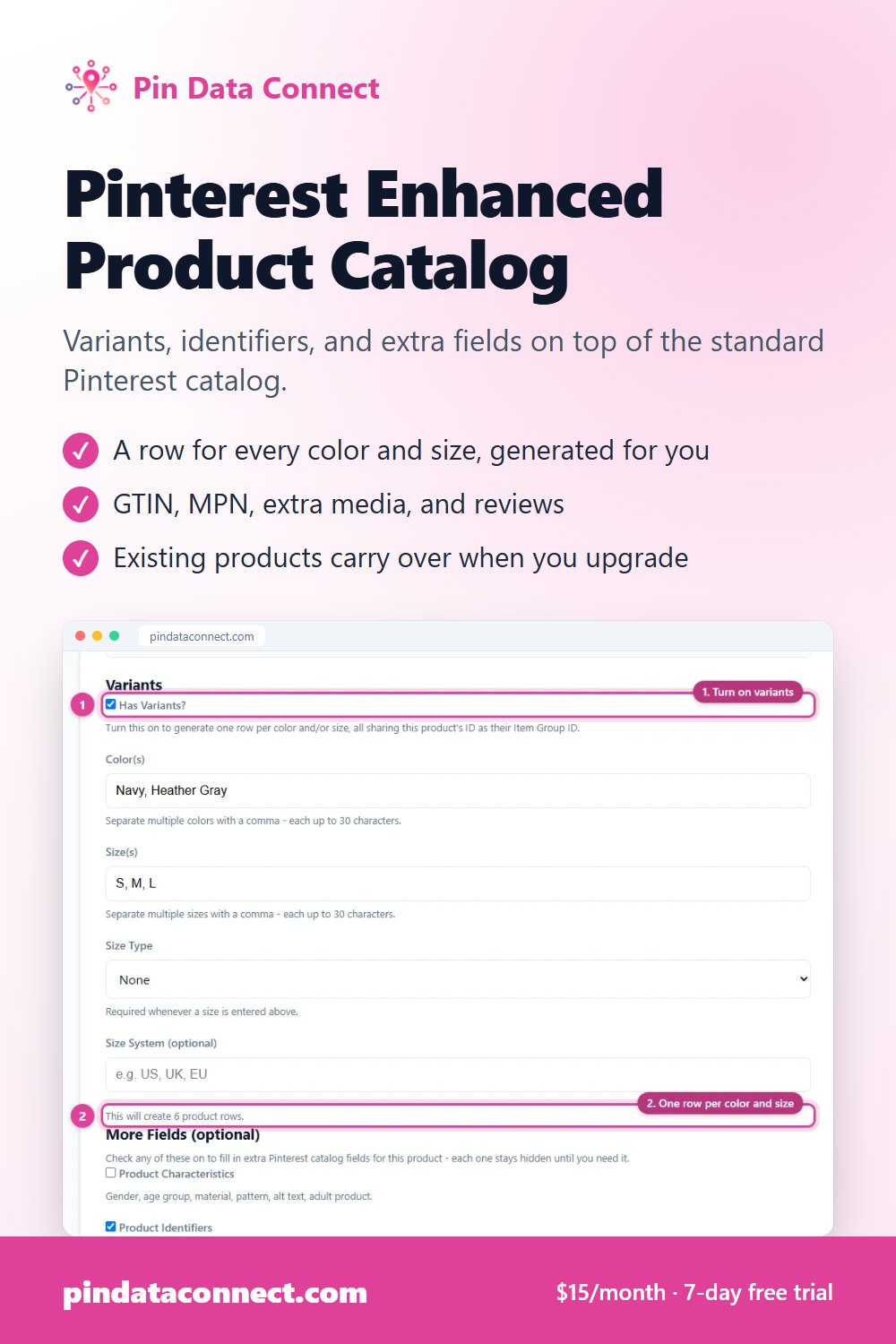
Save This for Later
Planning your product catalog? Pin this to one of your Pinterest boards so it's easy to find again when you're ready.
Save to Pinterest