Guide · Print on demand & any website
How to Add Products From Any Website to a Pinterest Catalog
Want to sell on Pinterest, but your store isn't on one of the big platforms with a ready-made Pinterest app? It doesn't matter. A Pinterest catalog only needs a file of your products, and any e-commerce website can produce one - Squarespace, Wix, Webflow, Big Cartel, Square Online, WordPress, or a site built from scratch.
Here's how to get your website ready, how to add products to Pinterest, and how to keep your Pinterest shopping catalog current.
Get your website ready
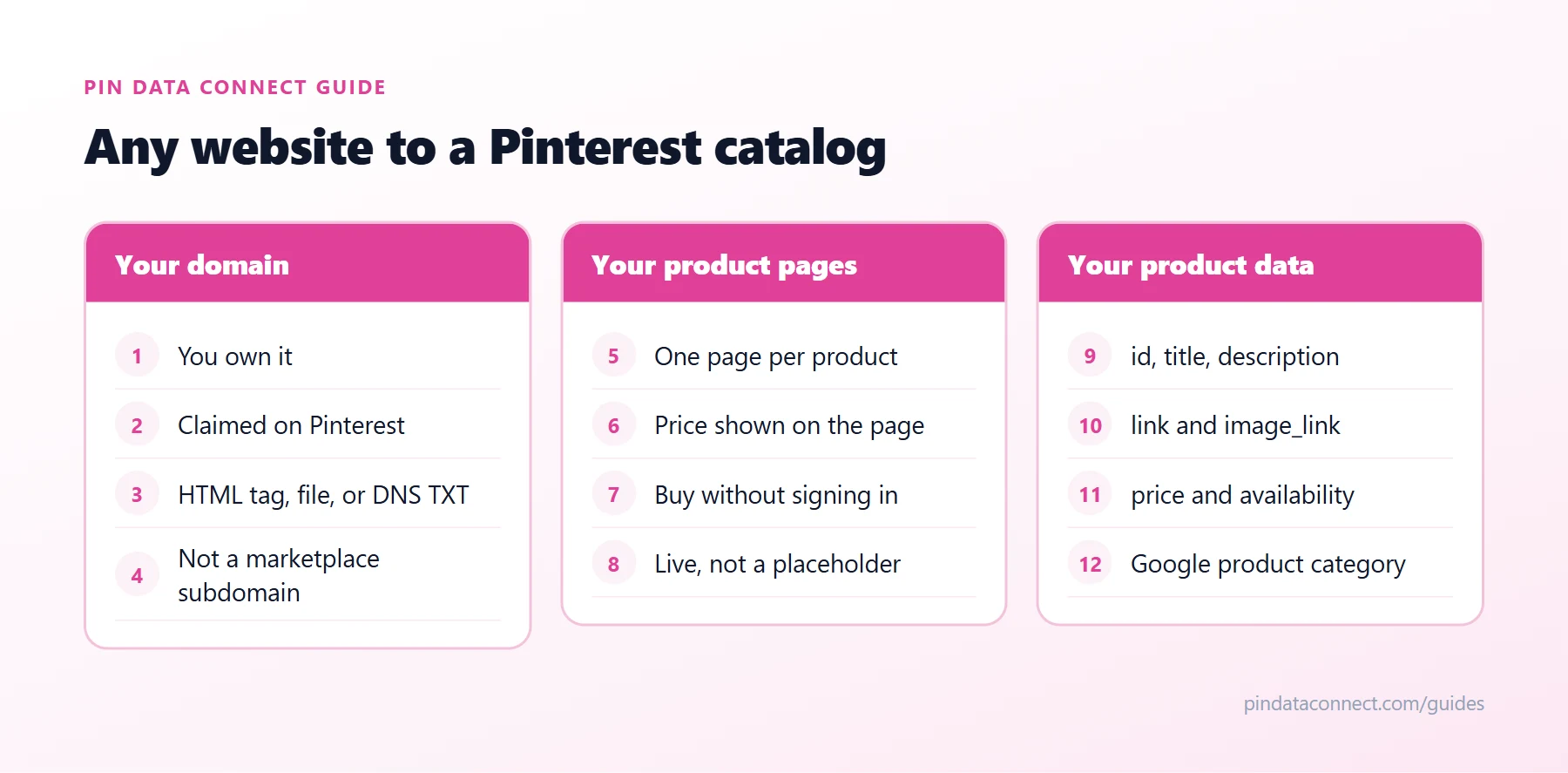
The diagram above sums up what Pinterest checks, in three groups:
- Your domain. You must own it and claim it on Pinterest, with an HTML tag, an HTML file, or a DNS TXT record. If your site builder won't let you edit page code, use the DNS record at your domain registrar.
- Your product pages. Each product needs its own page where a shopper can see the price and buy without signing in.
- Your product data. Every product needs an ID, title, description, link, image, price, and availability.
Collect your product data
Most of the data is already on your product pages:
link- the page's address from your browser.image_link- right-click the main product image and copy the image address.title,description, andprice- from the page, with the price written as a number and currency code, such as24.99 USD.id- your SKU, or any code you choose that never changes.availability-in stock,out of stock, orpreorder.
Many site builders can also export a product list, which gives you a head start - but the export's column names rarely match the Pinterest product feed format, so expect to rename and reformat them.
Build your Pinterest product feed
- Spreadsheet: one row per product, Pinterest's field names as column headers, saved as CSV. It's free, but every change means editing and re-uploading the file. Our free Pinterest Catalog CSV Template Generator gives you the right column names.
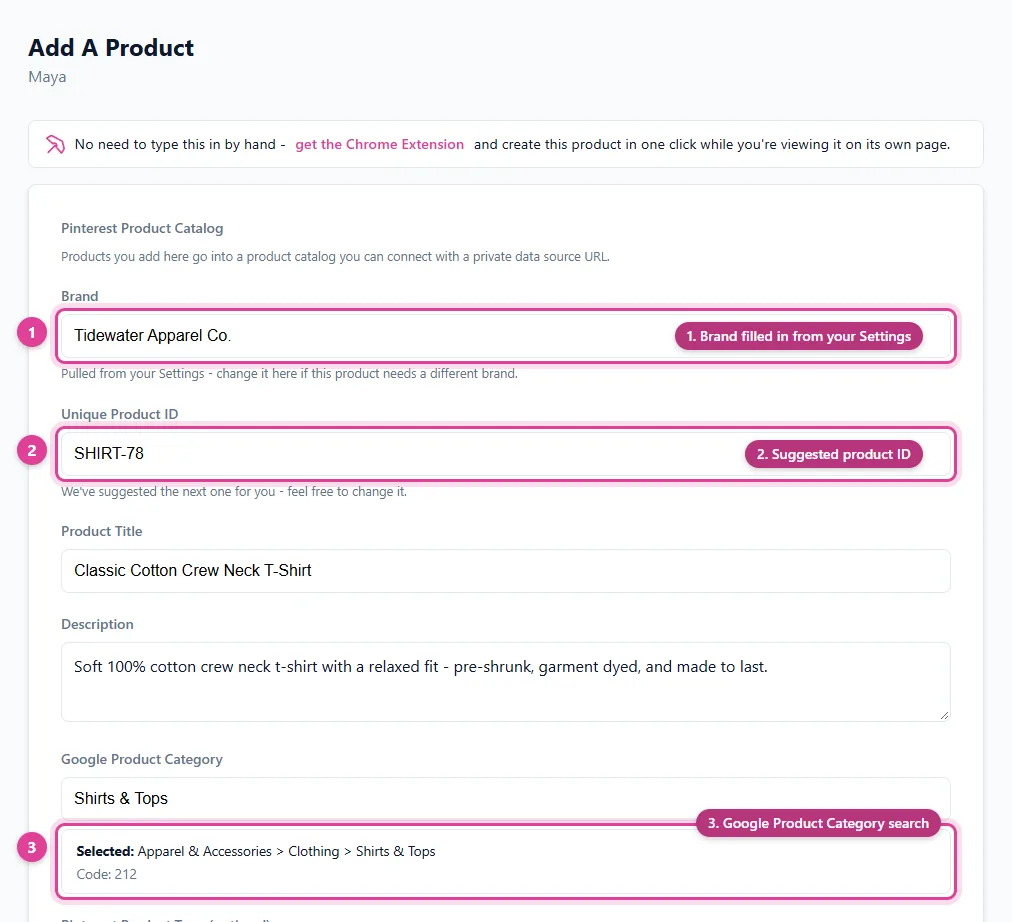
- Browser-based catalog builder: enter or capture each product once, and the builder writes the file in Pinterest's format and hosts it at a URL.
- Browser extension: some builders can capture a product straight from its page while you browse your own site.
Add it to Pinterest
In Pinterest Business, open Catalogs and add a data source - upload the file, or better, paste a hosted URL. Pinterest re-reads a hosted data source about once every 24 hours, so your Pinterest shopping catalog stays current without re-uploading. After the first import, each product becomes a Product Pin.
Notes for popular site builders
- Squarespace, Wix, and Webflow: some offer their own built-in connection to Pinterest or other channels. Check first; if it doesn't cover what you need, a product feed works with any of them.
- Big Cartel, Square Online, Ecwid, and others: claim your own domain (not the platform's subdomain) so your product links qualify.
- Custom-built sites: you control the code, so claiming with an HTML tag is quickest.
Next steps
New to catalogs? What Is a Pinterest Catalog? explains how it all fits together, and Pinterest Catalog CSV Template and Field Guide lists every field. Selling print on demand? See the Print on Demand Pinterest Strategy.
Frequently asked questions
Can I add products to Pinterest from any website?
Yes. A Pinterest catalog only needs a product file, so any e-commerce website works - Squarespace, Wix, Webflow, Big Cartel, WordPress, or a custom site - as long as you own the domain and claim it on Pinterest.
Do I need Shopify to sell on Pinterest?
No. Shopify has a ready-made Pinterest app, but any website can sell on Pinterest with a Pinterest catalog built from its products.
How do I claim my website on Pinterest?
In your Pinterest business account settings, claim your website with an HTML tag, an HTML file, or a DNS TXT record. If your site builder does not let you edit page code, use the DNS TXT record at your domain registrar.
What is a Pinterest product feed?
It is the file behind a Pinterest catalog - one row per product with fields such as id, title, description, link, image_link, price, and availability. Pinterest reads it to create your Product Pins.
How do I keep my Pinterest catalog up to date?
Host your product feed at a URL instead of uploading it. Pinterest re-reads a hosted data source about once every 24 hours, so changes appear automatically.
Add products to Pinterest from any website
Pin Data Connect builds your Pinterest catalog in your browser - type products in, import a file, or capture them from your own pages with the free Chrome extension - and hosts your Pinterest product feed at a private URL Pinterest reads every day.
See the Pinterest Catalog Builder →
Save this guide for later
Pin it to one of your Pinterest boards so it's easy to find when you're ready to set things up.
Save to Pinterest