Guide · Print on demand & any website
Dashery to Pinterest: Build a Pinterest Catalog for Your Dashery Store
Dashery makes it easy to sell print-on-demand merch from your own branded store. Pinterest is where buyers go looking for exactly that kind of product - and a Pinterest catalog turns your Dashery print on demand store into shoppable Product Pins with prices and links straight to your shop.
Here's how to get your Dashery store ready for Pinterest, how to structure your products, and how to keep your Pinterest catalog up to date.
Step 1: Use a domain you can claim
Pinterest only accepts catalog products whose links are on a website you've claimed, and you can only claim a domain you control. Dashery lets you run your store on a dashery.com subdomain or on your own custom domain - for a Pinterest catalog, use your own domain.
- Connect your custom domain (such as
shop.yourbrand.com) to your Dashery store. - In your Pinterest business account, go to Settings > Claimed accounts and claim the domain. With a hosted store, the DNS TXT record method is usually easiest - you add it where you bought the domain.
Step 2: One design, one product per type
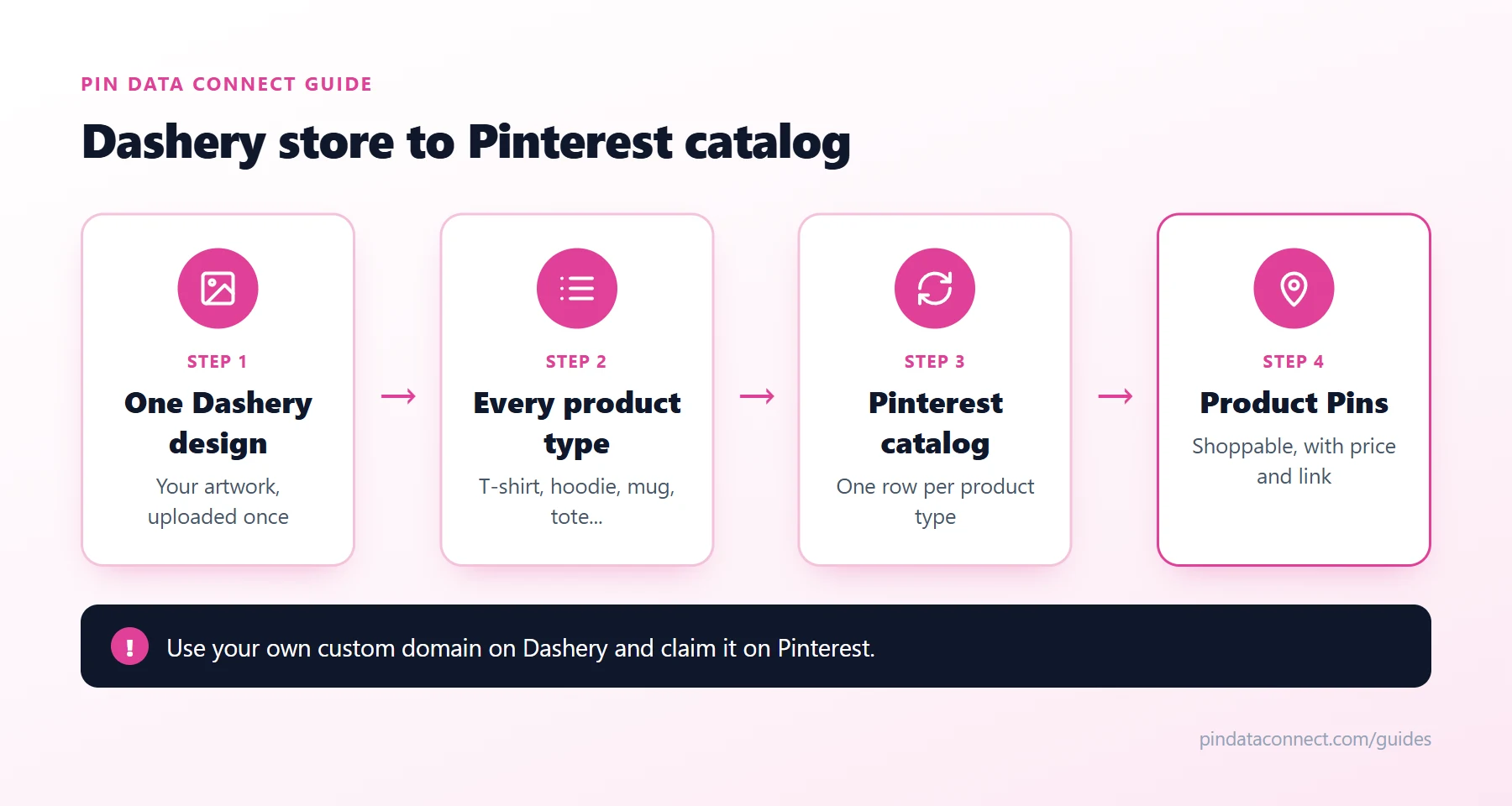
On Dashery, one design becomes many products - a T-shirt, a hoodie, a mug, a tote, and so on - each with its own page, such as /products/sunflower-design-mug. In your Pinterest catalog, each of those is its own product:
id- a unique ID per design and type, such assunflower-mug.title- the design plus the product type: "Sunflower Design Mug".link- that product type's own page on your custom domain.image_link- that product's mockup image. Right-click the image on the product page and copy the image address.priceandavailability- as shown on the page, such as22.00 USDandin stock.google_product_category- matched to the type: Mugs (2169) for mugs, Shirts & Tops (212) for T-shirts and hoodies, Posters, Prints, & Visual Artwork (500044) for posters.
The diagram above shows how one Dashery design fans out into a full set of Pinterest catalog products.
Step 3: Build the catalog
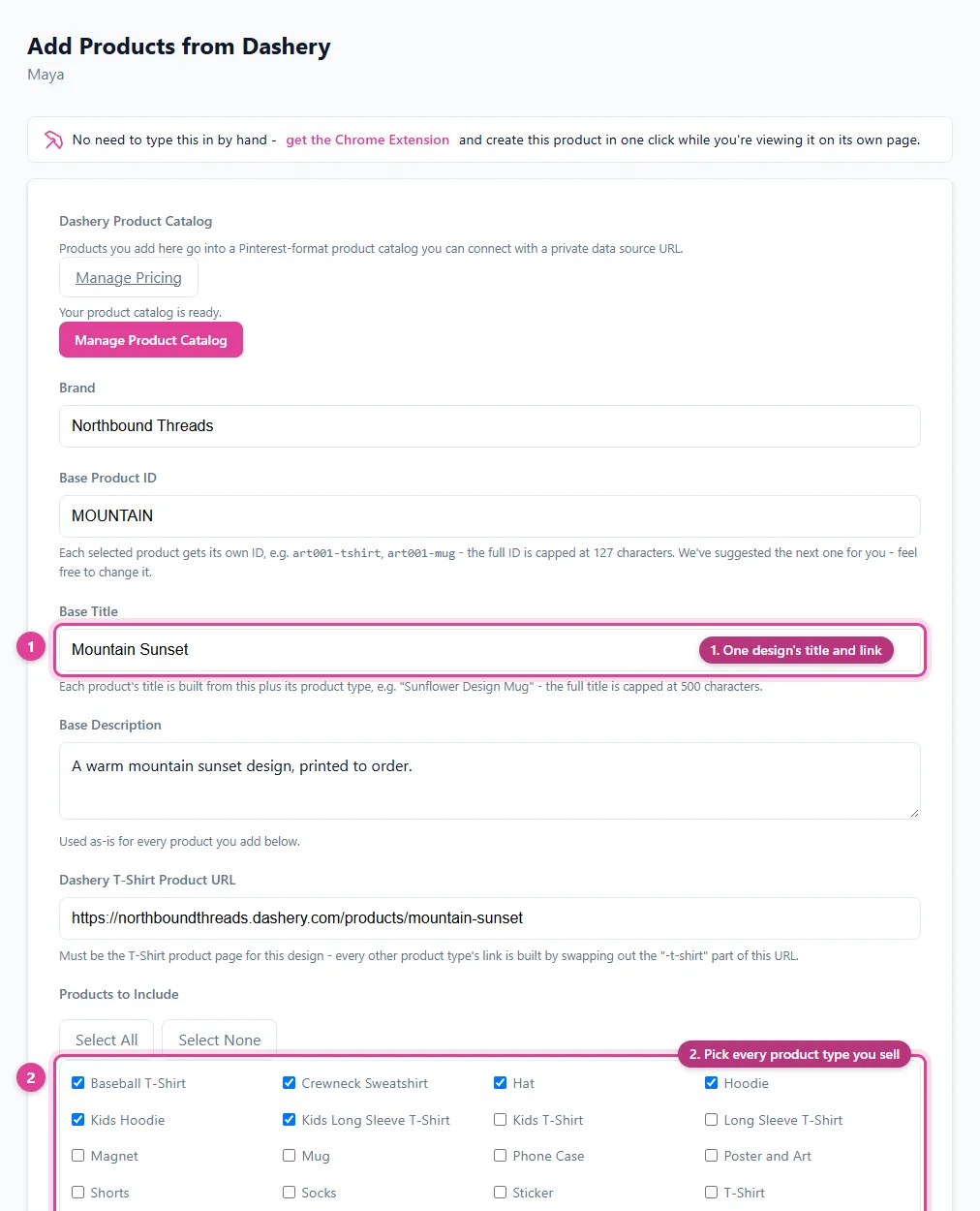
A Pinterest catalog is a data source - a CSV, TSV, or XML file - with one row per product. Because every design repeats the same product types, it's mostly the same work over and over: same type names, same categories, a new title and link per design. A spreadsheet template with one row per product type saves a lot of typing - start from our free Pinterest Catalog CSV Template Generator - and a catalog builder made for Dashery saves more.
Step 4: Connect it to Pinterest
In Pinterest Business, open Catalogs and add your data source. Hosting the file at a URL is better than uploading it, because Pinterest re-reads a hosted data source about once every 24 hours - so new designs and price changes appear without re-uploading.
Step 5: Promote your Dashery products
- Pin every product type with its own lifestyle mockup, not just the T-shirt.
- Build product groups by product type or design to run shopping ads on your best sellers.
- Follow a POD pin plan - the Print on Demand Pinterest Strategy guide covers keywords, pins, and seasonal timing.
Common Dashery Pinterest catalog problems
- Links rejected: product links still use a dashery.com address instead of your claimed custom domain.
- Wrong image: the T-shirt mockup used for the mug row. Every product type needs its own image.
- Price mismatch: Pinterest compares your catalog price with the product page, so update both together.
For more fixes, see How to Fix Pinterest Catalog Errors.
Frequently asked questions
Can I sell my Dashery products on Pinterest?
Yes. Add your Dashery products to a Pinterest catalog and they become shoppable Product Pins. Every product link must be on a domain you have claimed on Pinterest, so connect your own custom domain to your Dashery store.
Can I claim a dashery.com subdomain on Pinterest?
Pinterest lets you claim only a domain you own and control. A dashery.com subdomain belongs to Dashery, so the reliable route is connecting your own custom domain to your store and claiming that.
Should each Dashery product type be a separate catalog item?
Yes. The T-shirt, hoodie, and mug versions of a design have their own price, image, and product page, so each one is its own product in your Pinterest catalog.
Which Google product category should Dashery products use?
Match the product type: Mugs (2169) for mugs, Shirts & Tops (212) for T-shirts and hoodies, Posters, Prints, & Visual Artwork (500044) for posters, and so on.
How often does Pinterest update my Dashery catalog?
If your data source is hosted at a URL, Pinterest re-reads it about once every 24 hours, so new designs and price changes appear without re-uploading.
A Pinterest catalog built for Dashery
Enter a design once, tick the product types you sell, and Pin Data Connect builds a Pinterest catalog row for each one - Google product category included - then hosts it at a private URL Pinterest reads automatically.
See the Dashery Pinterest Catalog Builder →
Save this guide for later
Pin it to one of your Pinterest boards so it's easy to find when you're ready to set things up.
Save to Pinterest