Guide · Print on demand & any website
How to Get Products From Any Website on Bing Shopping
Bing Shopping - Microsoft Shopping - puts your products in front of Bing searchers and across the Microsoft Advertising network, often with less competition than Google. Any e-commerce website can take part: you verify your site, create a Microsoft Merchant Center store, and send it a Bing Shopping feed.
Here's the whole path, step by step.
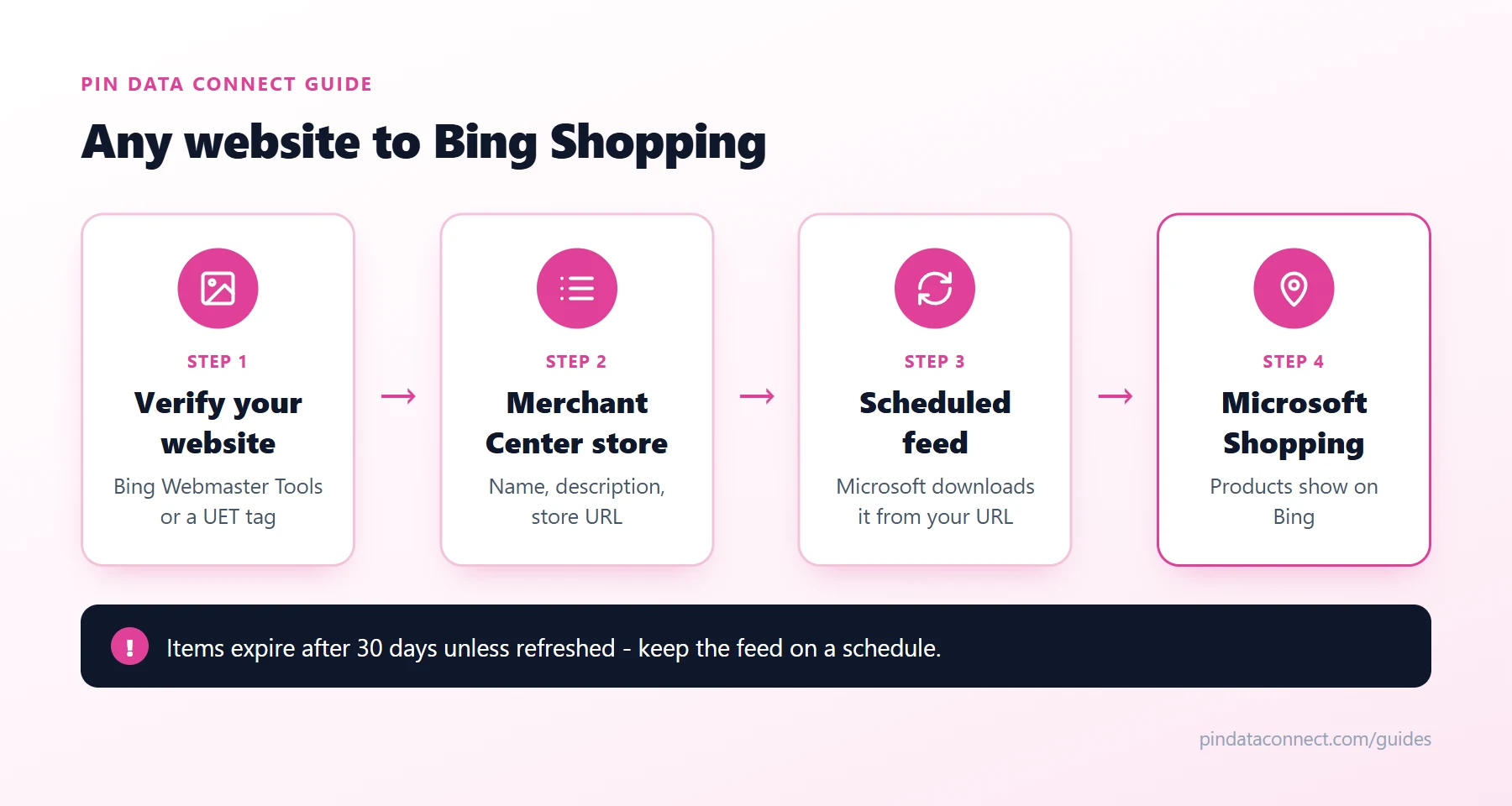
The path at a glance
The diagram above shows the four stages: your website, verification, your Microsoft Merchant Center store, and a scheduled feed that keeps Microsoft Shopping current.
1. Verify your website
Microsoft needs proof that you own the site your products link to. Verify it through Bing Webmaster Tools, or with a UET tag (Microsoft's tracking tag). A new UET tag must record at least 50 events before the domain can be used.
2. Create a Microsoft Merchant Center store
In Microsoft Advertising, go to Tools > Merchant Center and create a store. Give it a name (it can't be changed later), a description, and your website's address. Review can take a few days. Every product link in your feed must be under that store address.
3. Build your Bing Shopping feed
Microsoft requires just seven fields: id, title, description, link, image_link, price, and shipping (needed only for Germany and Austria). Worth adding too:
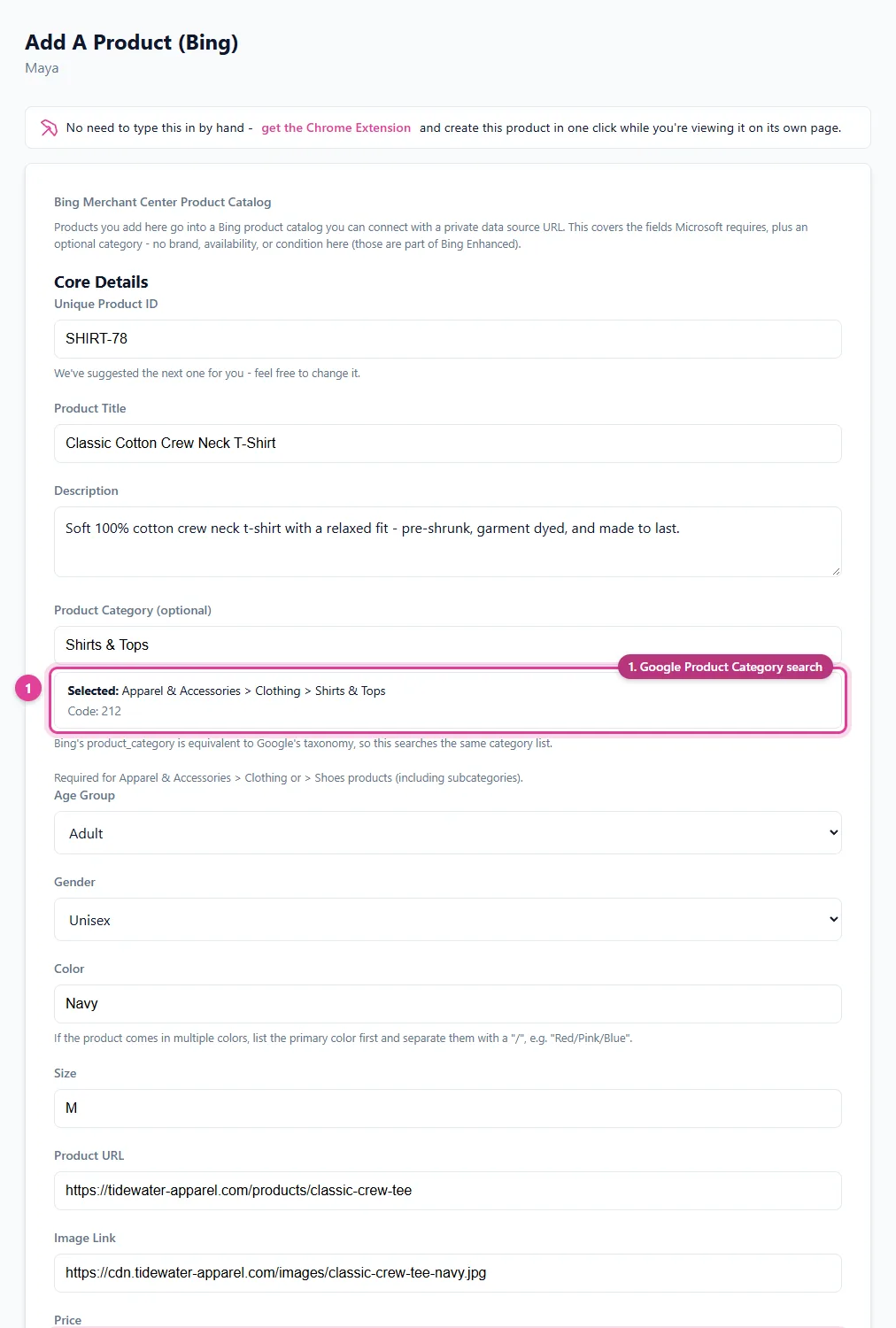
brandandgtin- help match your products to searches.product_category- the same list as Google's product categories, as an ID or full path.- Clean text - no HTML, promotional text, or all caps in titles and descriptions, and no watermarks on images.
Building the file yourself? Our free Bing Catalog CSV Template Generator gives you the exact columns - as a CSV to fill in, or the tab-delimited text Microsoft uploads use.
4. Schedule the feed
Add a feed to your store that Microsoft downloads on a schedule from your feed URL. This matters more on Bing than anywhere else: items in Microsoft Merchant Center expire after 30 days unless they're refreshed, so a one-time upload quietly empties out. Changes to prices, titles, and images also go through review, which can take a few days.
Already on Google Shopping?
If your products are already in Google Merchant Center, Microsoft can import them from there on a schedule - see How to Import a Google Merchant Feed Into Bing. Starting from scratch? See How to Get Products From Any Website on Google Shopping to cover both search engines.
Free listings vs. Bing Shopping ads
Once your Microsoft Merchant Center store is live and products are approved, you can run Microsoft Shopping campaigns - Bing Shopping ads - to promote them, with product groups to control bids by category or brand.
Frequently asked questions
How do I add products to Bing Shopping?
Verify your website with Bing Webmaster Tools or a UET tag, create a Microsoft Merchant Center store in Microsoft Advertising, and add a Bing Shopping feed that Microsoft downloads from your URL on a schedule.
What fields does a Bing Shopping feed need?
Microsoft requires id, title, description, link, image_link, price, and shipping, with shipping needed only for Germany and Austria. Brand, GTIN, and product_category are recommended.
Is Microsoft Merchant Center the same as Bing Shopping?
Microsoft Merchant Center is where you manage the products that appear in Microsoft Shopping on Bing and across the Microsoft Advertising network.
Why do my Bing Shopping products disappear?
Items in Microsoft Merchant Center expire after 30 days unless they are refreshed. A feed that Microsoft downloads on a schedule keeps them active.
Can I use my Google Shopping feed for Bing?
Yes. Microsoft can import products from Google Merchant Center on a schedule, and it accepts Google-formatted XML feed files.
Get your website on Bing Shopping
Pin Data Connect builds your Bing Shopping feed in your browser with just the fields Microsoft requires, and hosts it at a private URL Microsoft Merchant Center downloads on schedule - so your products stay refreshed.
See the Bing Product Catalog Builder →
Save this guide for later
Pin it to one of your Pinterest boards so it's easy to find when you're ready to set things up.
Save to Pinterest