FREE Pinterest Catalog CSV Template Generator
Pick the columns you need and download a ready-to-fill Pinterest catalog CSV template - with example rows and a plain-English guide to every field. Free, no account required, and nothing you choose leaves your browser.
1. Choose your columns
Start from a preset, then tick or untick any column. Required columns are always included.
2. Download your template
Preview
This is exactly what your file will contain.
Field guide for your template
What to put in each column you chose. Need a category? Find it with the free Google Product Category Lookup tool.
How to use your template
- Choose a preset or tick the columns you need. Standard matches the format our free CSV Validator checks.
- Download the CSV and open it in Excel, Google Sheets, or Numbers.
- Replace the example row with your products - one row per product, keeping the header row exactly as it is.
- Check the finished file with the free Product Catalog CSV Validator.
- In Pinterest Business, open Catalogs and add a data source - upload the file, or host it at a URL Pinterest re-reads about once every 24 hours.
Free Guides
More Free Catalog Tools
See the Template Generator in Action
Choose your columns, preview the file, and download it - click any screenshot to see it full size.
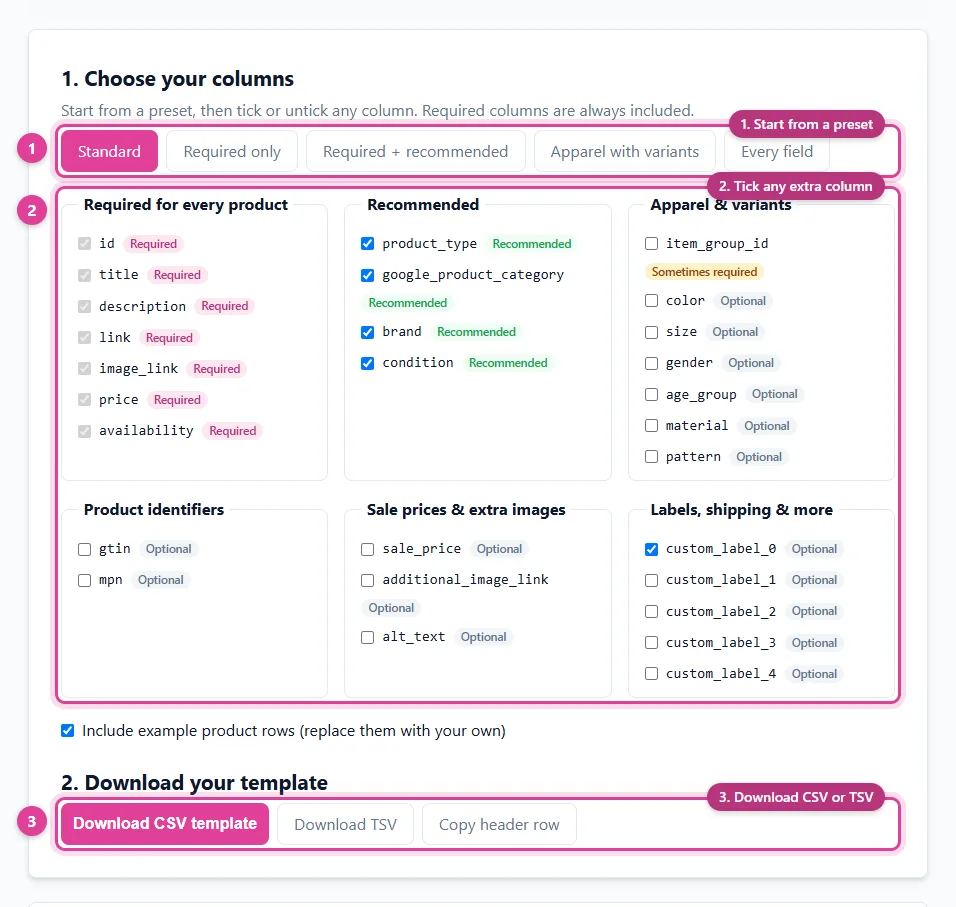
Pick a preset or tick the exact columns you need, then download your Pinterest catalog CSV template.
- Start from a preset
- Tick any extra column
- Download CSV or TSV
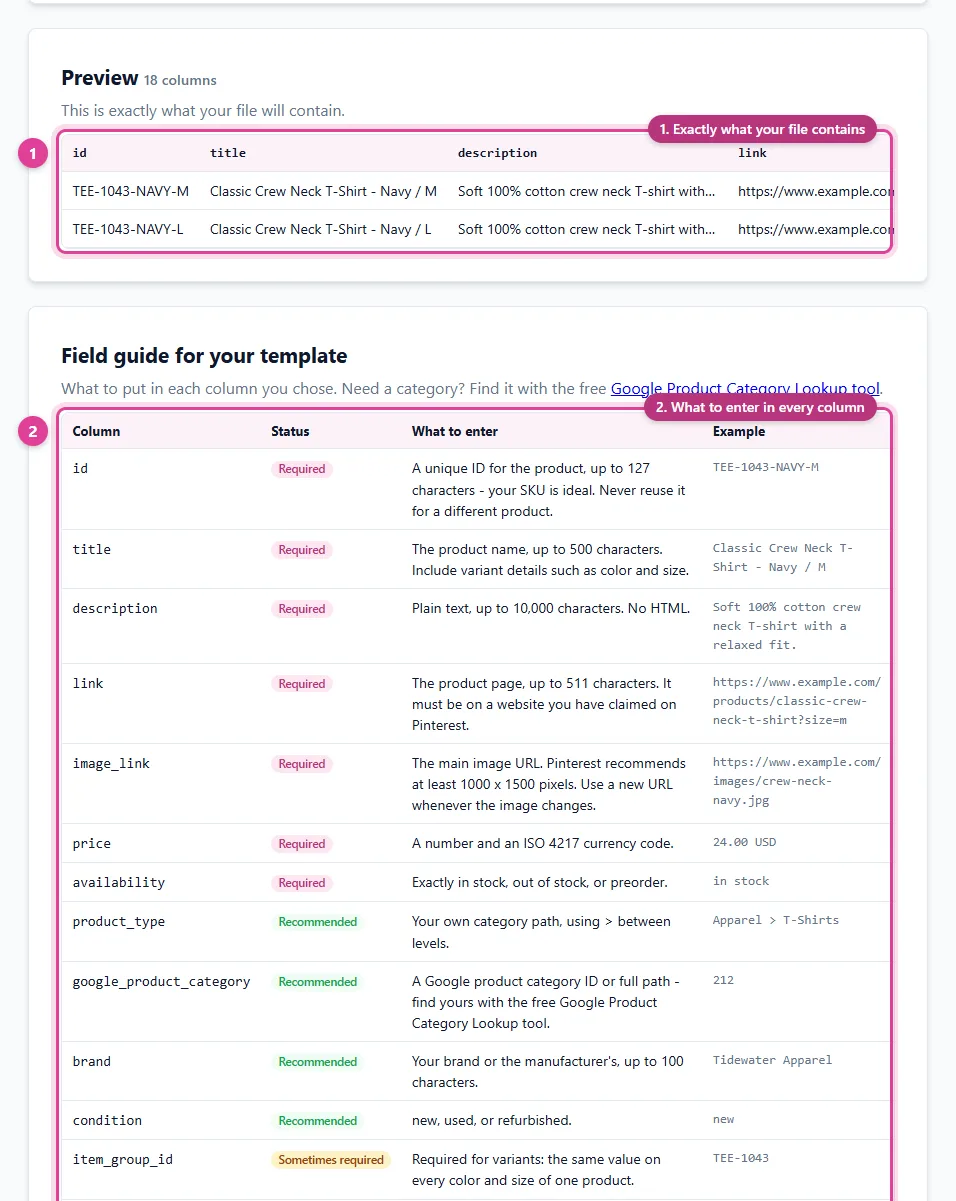
See exactly what your template contains, with a plain-English guide to every column you chose.
- Exactly what your file contains
- What to enter in every column
Frequently Asked Questions
What columns does a Pinterest catalog CSV need?
Seven columns are required for every product: id, title, description, link, image_link, price, and availability. Products with variants also need item_group_id, and google_product_category, brand, and condition are recommended.
Should I use CSV or TSV for Pinterest?
Either works - Pinterest accepts CSV, TSV, and XML data sources. CSV is easiest to edit in a spreadsheet, so it is the default here.
What does the Standard preset do?
It produces the exact columns, in the exact order, that our free CSV Validator and Pin Data Connect's Import From File expect - so you can check the finished file, or import it, without renaming anything.
How do I add the CSV to Pinterest?
In Pinterest Business, open Catalogs and add a data source. You can upload the file once, or host it at a URL that Pinterest re-reads about once every 24 hours.
Is the template generator free?
Yes. It is free with no account or signup, and it runs entirely in your browser - nothing you choose is uploaded or saved.
Save This for Later
Planning your product catalog? Pin this to one of your Pinterest boards so it's easy to find again when you're ready.
Save to PinterestSkip the spreadsheet entirely
Pin Data Connect's Pinterest Catalog Builder lets you add products in a simple form - or import this template once you've filled it in - and hosts your Pinterest data source at a private URL Pinterest reads every day.
See the Pinterest Catalog Builder