Dashery
Set default Dashery prices for each product type
Set your default prices
- In the sidebar, under your Dashery catalog, click Manage Pricing.
- Under Default Price Per Product Type, enter a price for each product type you sell: just the number, without a currency.
- Leave a type blank if you'd rather enter its price yourself each time.
- Click Save Pricing.
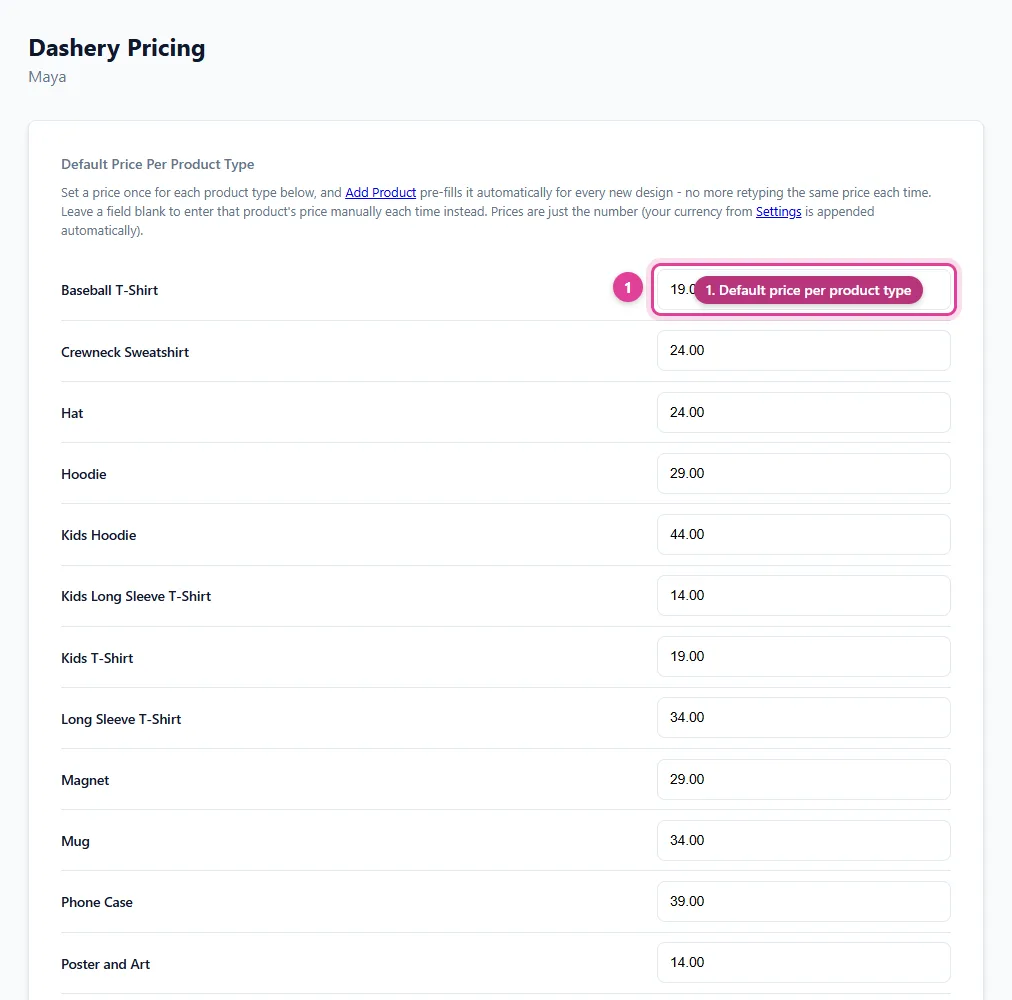
From now on, the Dashery Add Product form fills in these prices for every new design. You can still change any single product's price before adding it.
Update products you've already added
Saving only affects new designs, unless you tick Also update prices on products already in my catalog before saving. That overwrites the price of every matching product already in your catalog, including any you priced differently on purpose, so use it with care.
To change a few products instead, edit them in Manage Product Catalog.
Still need help?
Chat with us using the chat button in the corner of this page, or send us a message and we'll reply by email.
Contact Us